Clutch Macro icon

Edit faster. Build faster.

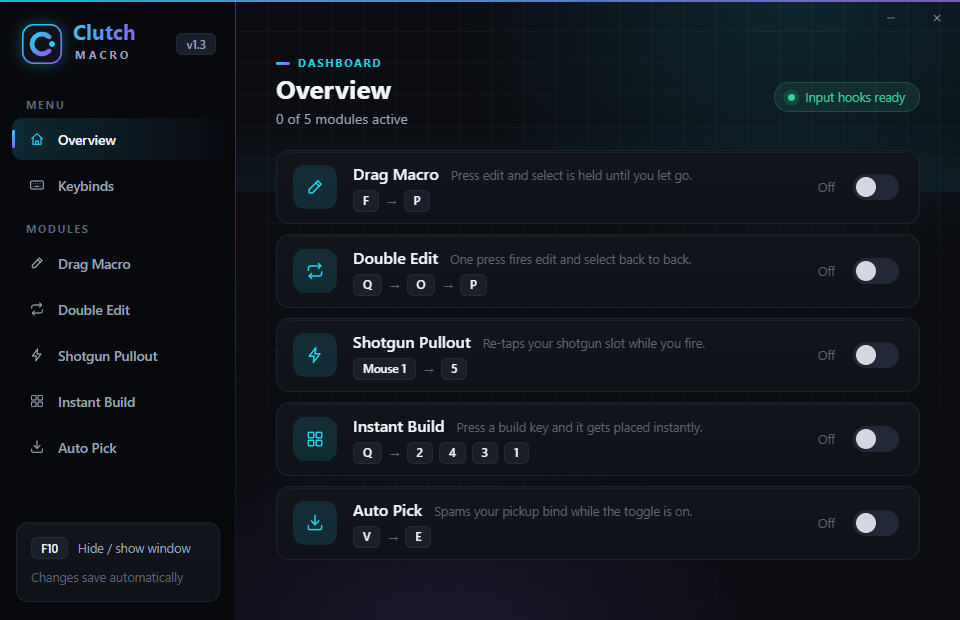
Clutch Macro gives you drag edit, double edit, shotgun pullout, instant build and auto pick for Fortnite, all running on your own keybinds.

!
Use at your own risk. Epic Games treats input macros as cheating, especially in ranked and tournaments. Using Clutch Macro in Fortnite can get your account banned. Clutch Apps isn't responsible for bans or lost progress.
Download for Windows v1.3 · free See what it does
Windows 10 & 11 (64-bit) · tiny installer · No account
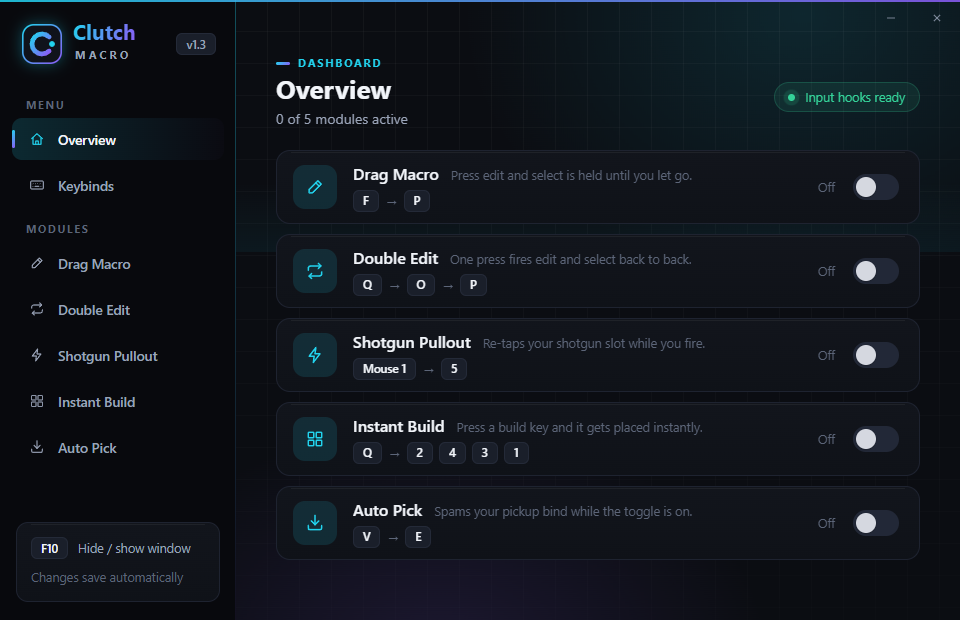
Clutch Macro overview with all five modules
✏️ Drag edit 🔁 Double edit ⚡ Shotgun pullout 🧱 Instant build 🎒 Auto pick ⌨️ Your own keybinds 🙈 F10 hides the window
Features

Five macros, one small app

Switch each one on or off, set its keys and timing, and Clutch Macro does the rest.

Setup

Set your keybinds once

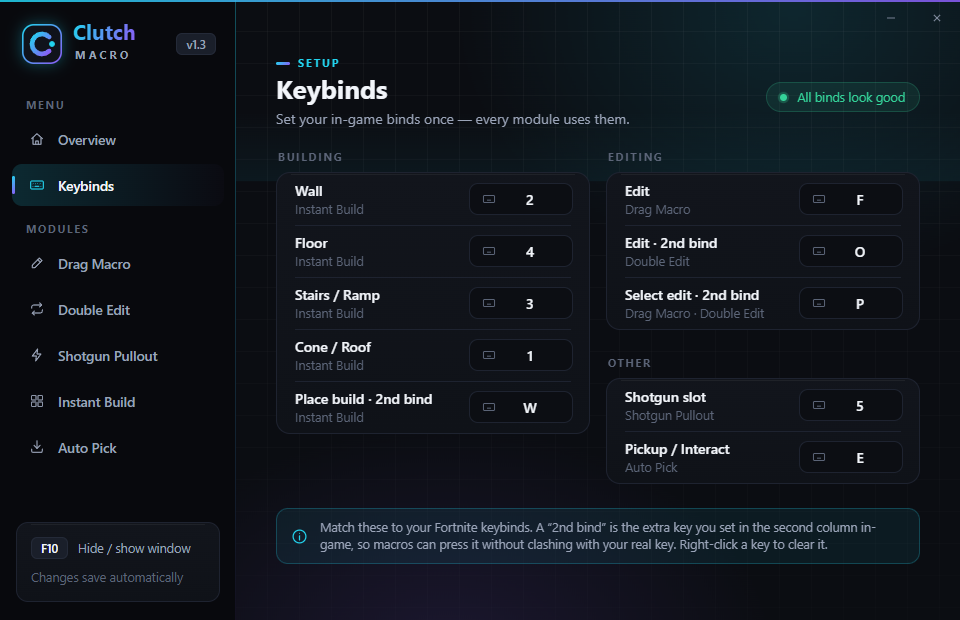
Match your Fortnite binds in the Keybinds page. Every macro uses them, so you only set them up one time.

  • Building, editing, shotgun slot and pickup binds in one place
  • Warns you when two binds clash or a key can't be pressed by the app
  • Right-click a key to clear it
Keybinds page
Editing

Drag edit & double edit

Drag Macro taps edit and holds select until you let go. Double Edit fires edit and select back to back with one press.

  • Adjustable delay and key hold, down to the millisecond
  • Uses a second bind so it never fights your real key
Drag Macro settings
Building

Instant build

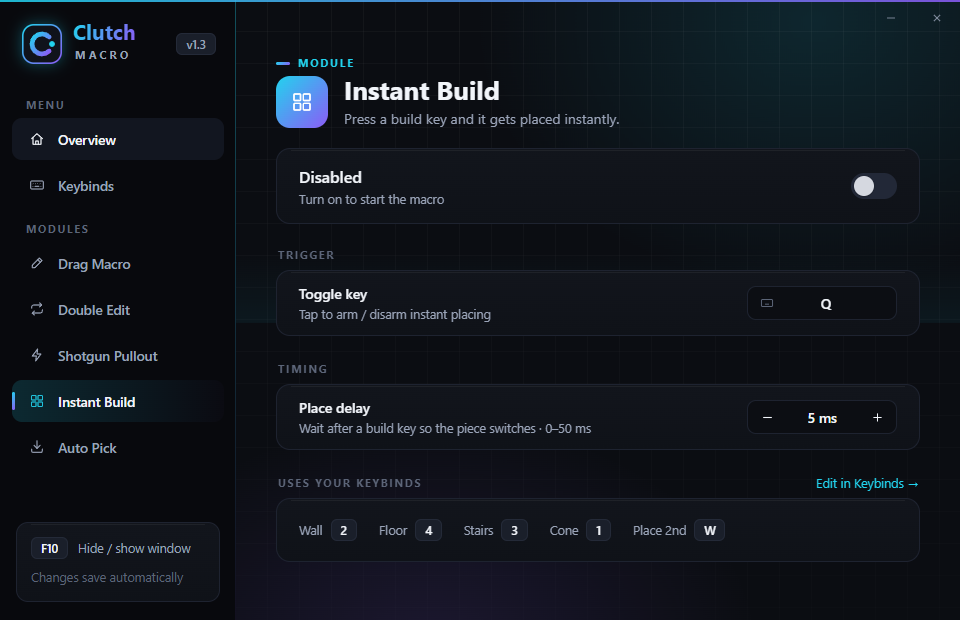
Tap your toggle key to arm it. While it's armed, pressing a build key places the piece instantly.

  • Works with wall, floor, stairs and cone
  • Place delay you can tune so the piece switches first
Instant Build settings
Combat & loot

Shotgun pullout & auto pick

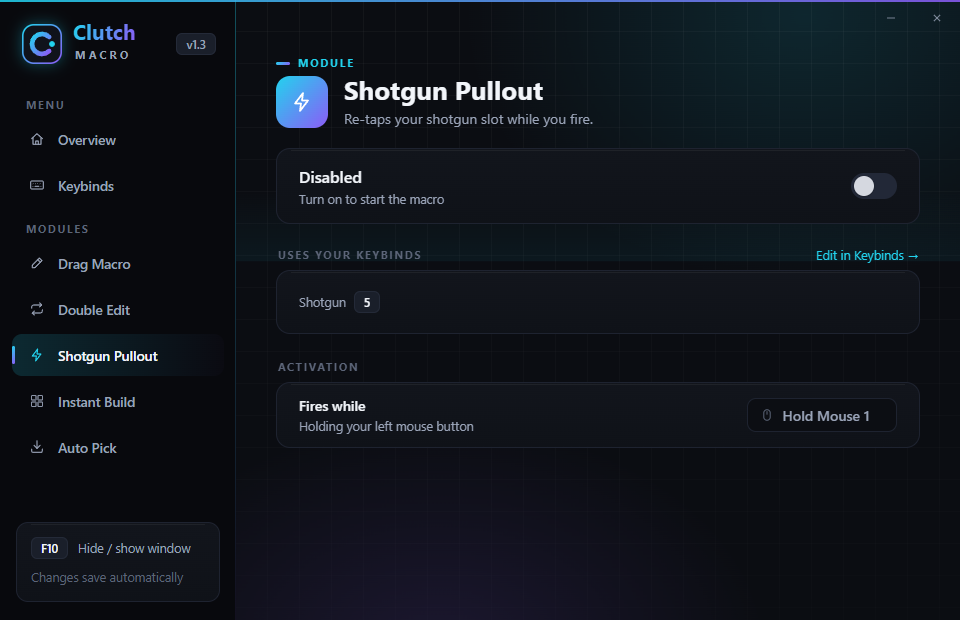
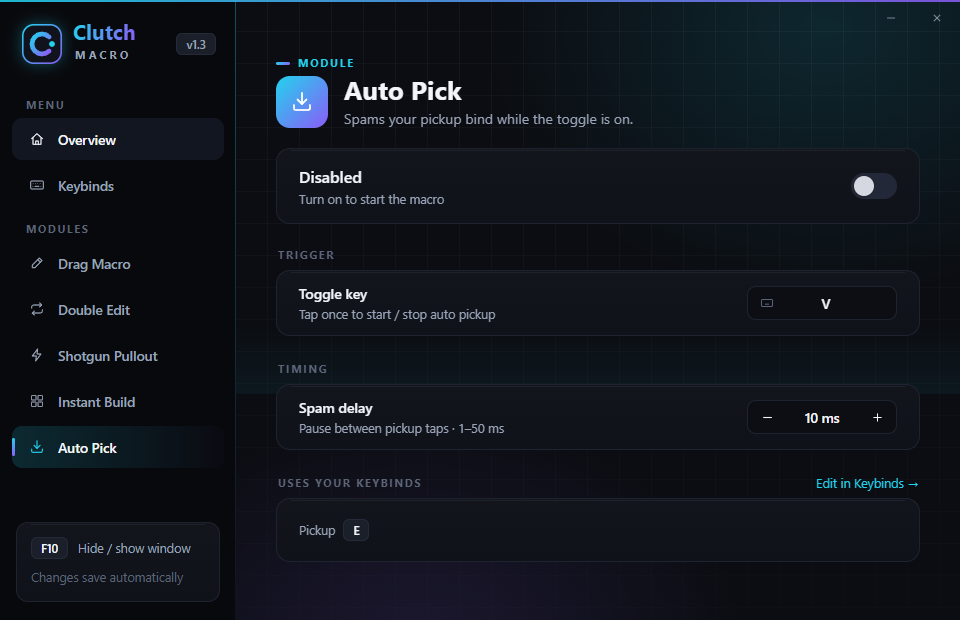
Shotgun Pullout re-taps your shotgun slot while you fire. Auto Pick spams your pickup bind while its toggle is on.

  • Auto Pick spam speed from 1 to 50 ms
  • Everything stops and lets go of keys the moment you turn it off
Shotgun Pullout
Auto Pick
Install

Up and running in a minute

1

Download

Grab ClutchMacro-Setup.exe. It's tiny (under 1 MB).

2

Run it

The installer downloads the rest (~100 MB), adds desktop and Start menu shortcuts, and opens Clutch Macro.

3

Set your binds

Match your Fortnite keybinds, switch on the macros you want, and press F10 to hide the window.

Keys not working in game? If Fortnite runs as administrator, run Clutch Macro as administrator too. Seeing "Windows protected your PC"? Click More info → Run anyway; free apps that aren't code-signed get that warning.
FAQ

Questions

Can I get banned for this?

Yes. Epic counts input macros as cheating, especially in ranked and tournaments. Use it at your own risk; Clutch Apps isn't responsible for bans.

Is it free?

Yes. No trial, no pro version, no account.

Where are my settings saved?

In settings.ini next to the app. Settings from older versions (Pinout Macro, Aerial) carry over.

Does it collect data?

No. It never goes online. It only listens for the keys it needs to run your macros.

Ready to edit faster?

!
By downloading, you accept the risk. Macros can get your Fortnite account banned. Clutch Apps isn't responsible for bans or lost progress.
Download Clutch Macro v1.3
Free for Windows 10 & 11 · Questions? Ask in the Discord